Try a demo map
Use a demo map to try Groundwork before you open a real map. On a demo map, you can use all the editing tools. Groundwork saves each edit on your device only. When you reload the page, Groundwork loads the demo map again with its original data. In five minutes, you can try most of the tasks that you will do on a real map.
Open Groundwork
Open app.groundwork.do.
- If Groundwork shows the Start page, click Parks and recreation.
- If Groundwork shows a map, click the map name at the top of the panel. If the list has Parks and recreation, choose it. If not, choose Create new map, then click Parks and recreation on the Start page.
The map shows a small foreshore reserve that we invented. The panel beside the map lists its 16 Park assets, such as playgrounds, seats and barbecues.
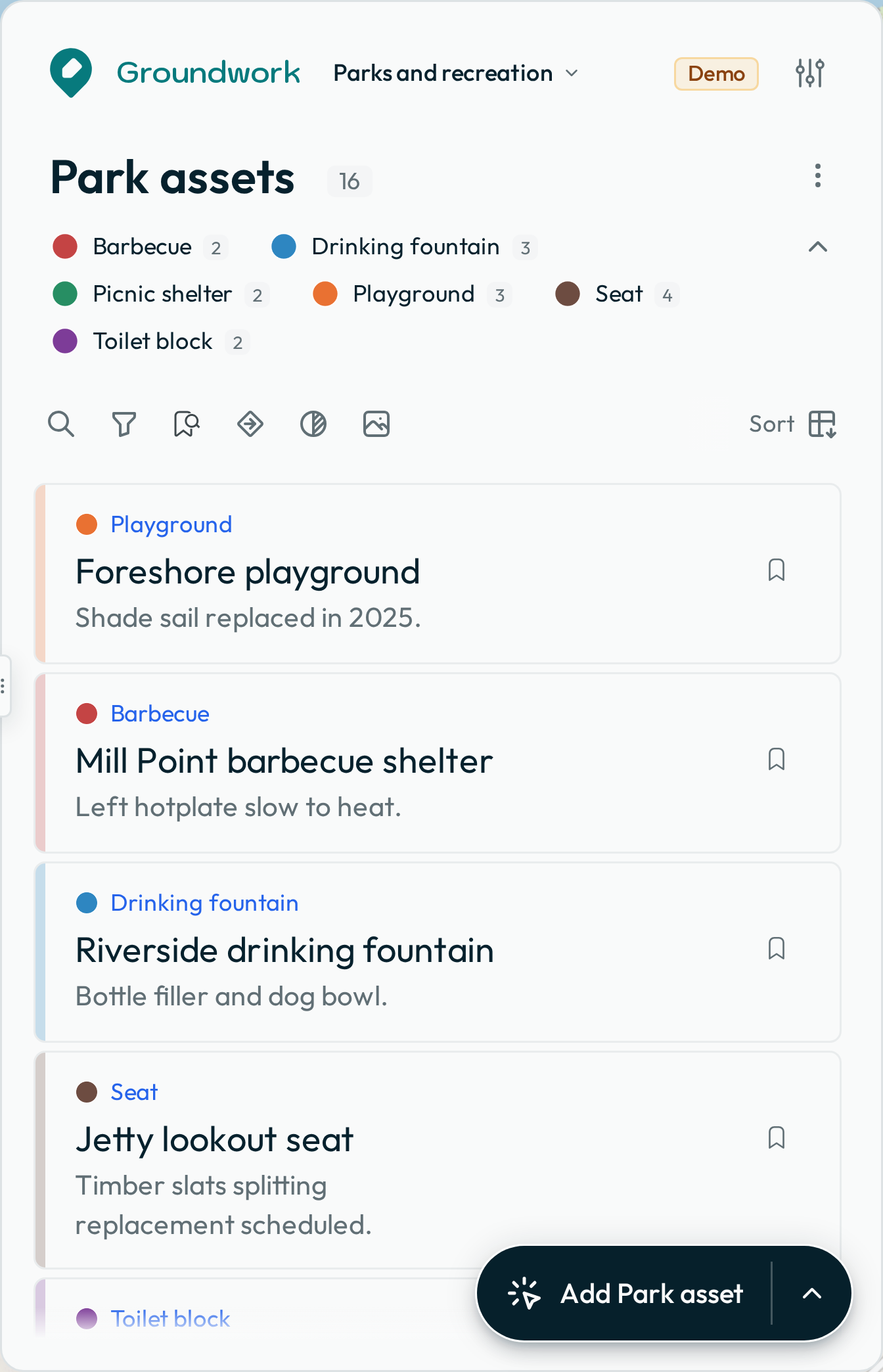
Open a feature
Click Foreshore playground in the list, or click a point on the map. Groundwork highlights the feature on the map and opens its details in the panel. To return to the list, press the back arrow at the top.
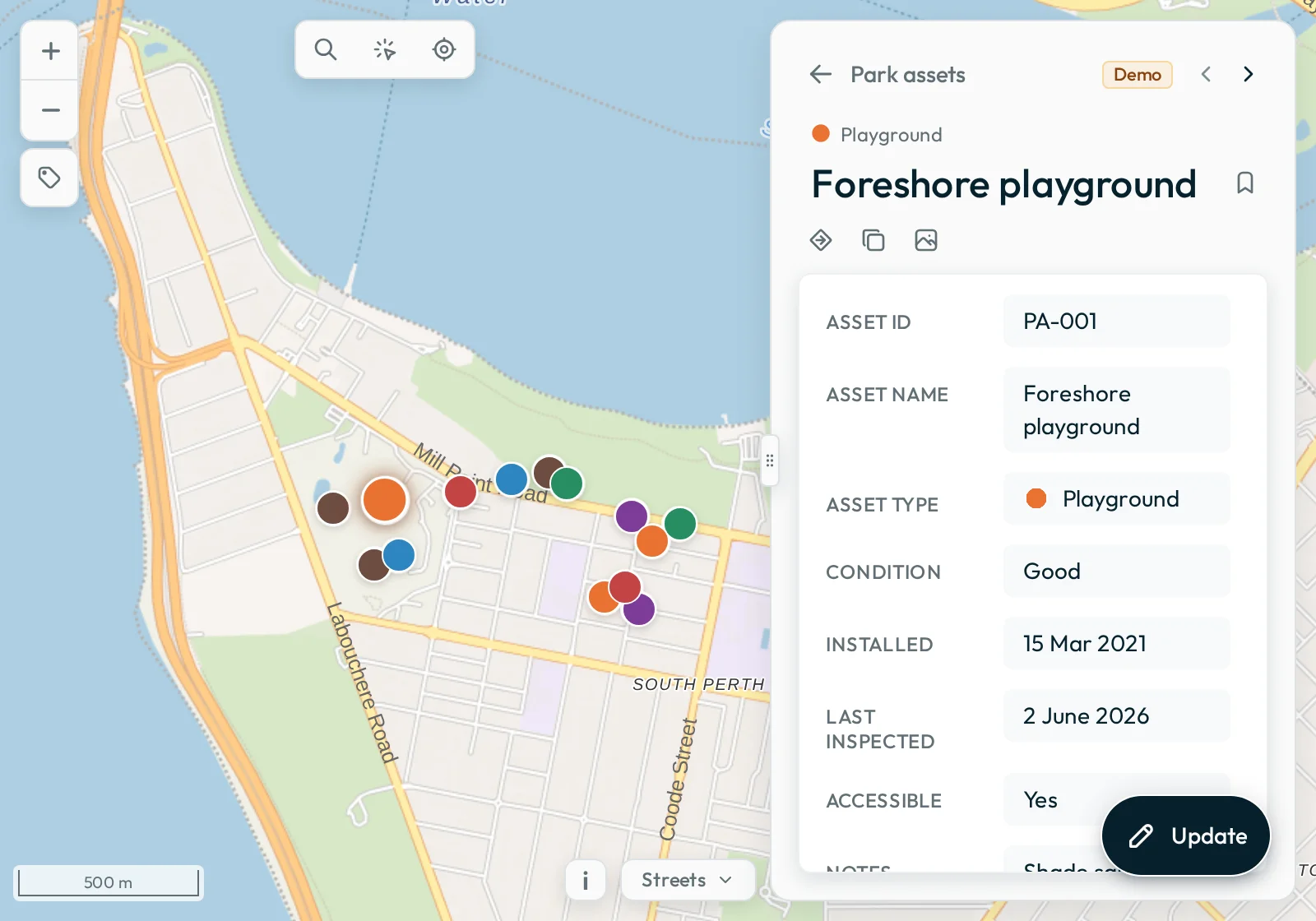
Search and filter
Press the
search button above the list. Type playground. The playgrounds show as results while you type. Click a playground to open it.
Next, click Seat in the legend below the layer name. The map and the list show only the seats, and the count shows 4 of 16. To remove the filter, click Seat again.
Bookmark a feature
To bookmark a feature, click the bookmark button on its row. The icon on the button becomes solid. Then use the bookmark button above the list:
- To show only the features that you bookmarked, press it.
- To show the full list again, press it again.
Make an edit
Open Jetty lookout seat. Press Update. Change the condition from Poor to Good. To save, press the
tick. Groundwork saves the change in this browser only, and nobody else can see it.
Start again
Reload the browser tab. Groundwork loads the map again from the start. The condition of the seat is Poor again, and your bookmark is gone.
Open another demo map
Groundwork also has these demo maps:
- Urban forest has street trees in Surry Hills. Each tree has an Inspections tab and a Maintenance tab.
- Open space maintenance has a Mow areas layer of the areas that a council mows across inner southern Brisbane. Each mow area is a polygon on the map, with a Maintenance jobs tab and a Requests tab. The layer has two styles, and you can change between them in the layer’s ⋮ menu.
- Apiaries and planning zones shows live apiary points over Victorian planning-zone images. It reads both live from a Victorian Government map server.
- Fire hazard inspections has an Inspections layer of property inspections in Warrandyte, Victoria. It draws over the property boundaries, which it reads live from a Victorian Government map server when you zoom in close. The layer has two styles, by risk level and by the action taken, and you can change between them in the layer’s ⋮ menu.
- Annotations demo has an Annotations layer of points, lines and polygons that mark up an event on a showground in Mudgee. Groundwork draws each annotation in the colour in its Colour field, and the details fill the Colour field with that colour.
To open one of them:
- Click the map name at the top of the panel.
- Choose Create new map.
- On the Start page, click the card for the map.
To return to Parks and recreation, click the map name. Then choose Parks and recreation from the list.
When you are ready for a real map, read Open a map.